
Group Package
Cmash Brand (Groups) — Feature Overview
Keep every brand, team or client in its own space. Groups scope content and users, so people see only what is theirs.
Package name: enobis/cmash-group. In the admin panel this is the Groups menu (Configuration → Groups).
What Is CMAsh Brand?
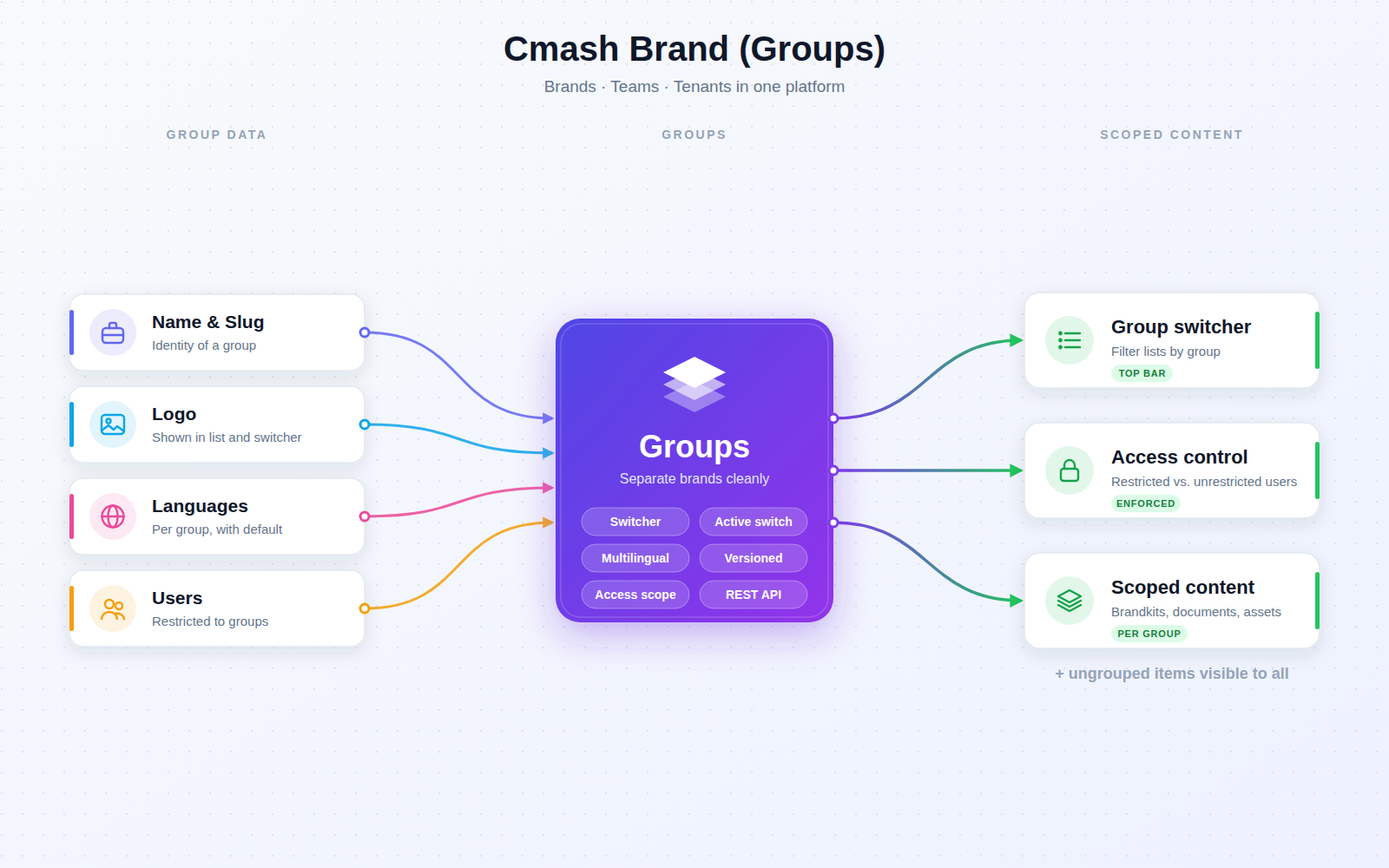
A group represents a brand, business unit, client or team. Content is assigned to a group, and users can be restricted to one or more groups, so multi-brand and multi-tenant setups stay tidy and safe. Restricted users see only their groups' content plus anything left ungrouped (shared).
Key Features
Manage Groups
- Identity — name, URL identifier (slug), description and logo; the logo appears in the list and in the group switcher.
- Languages per group — choose which languages a group supports (from the platform's available languages). Leave empty for "all languages". Optionally set a default language, which must be one of the selected ones.
- Active switch — deactivate a group without deleting it; inactive groups disappear from the switcher.
- Change history — for name, slug, description, logo, active state and languages.
- Creator and origin tracking — shows who created a group and whether from the admin panel ("Internal") or the API ("External").
- Scoped group list — restricted users only see their own groups.
Group Switcher
- Focus on one group — a selector in the admin header (next to global search) lists the active groups the user may access, remembers the choice for the session and refreshes the current page.
- Opt-in — it only appears when enabled in the platform's General Settings (
show_group_selector). - Safe — users can never select a group they have no access to.
Access Control
- Restricted users — always limited to their assigned groups (many-to-many user ↔ group), regardless of the switcher.
- Unrestricted users — see everything, or one group if they pick it in the switcher.
- Ungrouped items — items without a group are visible to everyone.
- Same rules in the API — user restrictions are enforced; the switcher is a UI convenience only.
- Broad coverage — group assignment is available on datasources, documents, forms, projects, templates, assets, workspaces and brandkits.
Integrations & API
Token-secured (Laravel Sanctum):
| Method | Endpoint | Description |
|---|---|---|
GET |
/api/groups |
List groups (filters: active, search; paginated, default 15). |
POST |
/api/groups |
Create a group. |
GET |
/api/groups/{group} |
Retrieve a group. |
PUT |
/api/groups/{group} |
Update a group. |
DELETE |
/api/groups/{group} |
Delete a group. |
Used by Brandkit (enobis/cmash-brandkit) and by content modules that offer group assignment.
Permissions & Dependencies
- Requires CMAsh core (
enobis/cmash≥ 1.1.1), Filament 5, Laravel Sanctum, PHP 8.3+. - Relies on the core user model to determine which groups a user may access.
- Access is governed by the platform's standard resource permissions; the package defines no roles of its own.
Configuration
No config file and no environment variables. Related settings live elsewhere:
| Setting | Where | Meaning |
|---|---|---|
show_group_selector |
Core General Settings (enobis/cmash) |
Shows or hides the group switcher in the header |
available_locales |
Core General Settings | Languages offered in a group's Languages fields |
| Config keys / env vars | none in this package | – |
| Navigation | Configuration → Groups (sort 10) | – |
| Database tables | cmash_groups, group_user; adds group_id to content tables |
– |
Use Cases
- Multi-brand organisations — separate content for each brand under one installation.
- Agencies — keep each client's templates, assets and projects apart.
- Departments and regional teams — restrict users to their own business unit, with shared ungrouped content for everyone.
- Per-brand language sets — offer only the languages a brand actually uses.
Cmash Group: the right content in front of the right people.