Tag Package
Cmash Tag — Feature Overview
Organise everything with tags your team can actually find things by. Nested, colour-coded labels for assets, documents, templates, forms, projects and renderers.
What Is Cmash Tag?
Cmash Tag gives the platform one shared way to categorise content. Create tags once, nest them into a tree ("Campaigns → Summer → Social"), give them a colour, and attach them to content anywhere in the admin panel. Later, filter any list by tag, or query by tag through the API.
Key Features
Create and Manage Tags
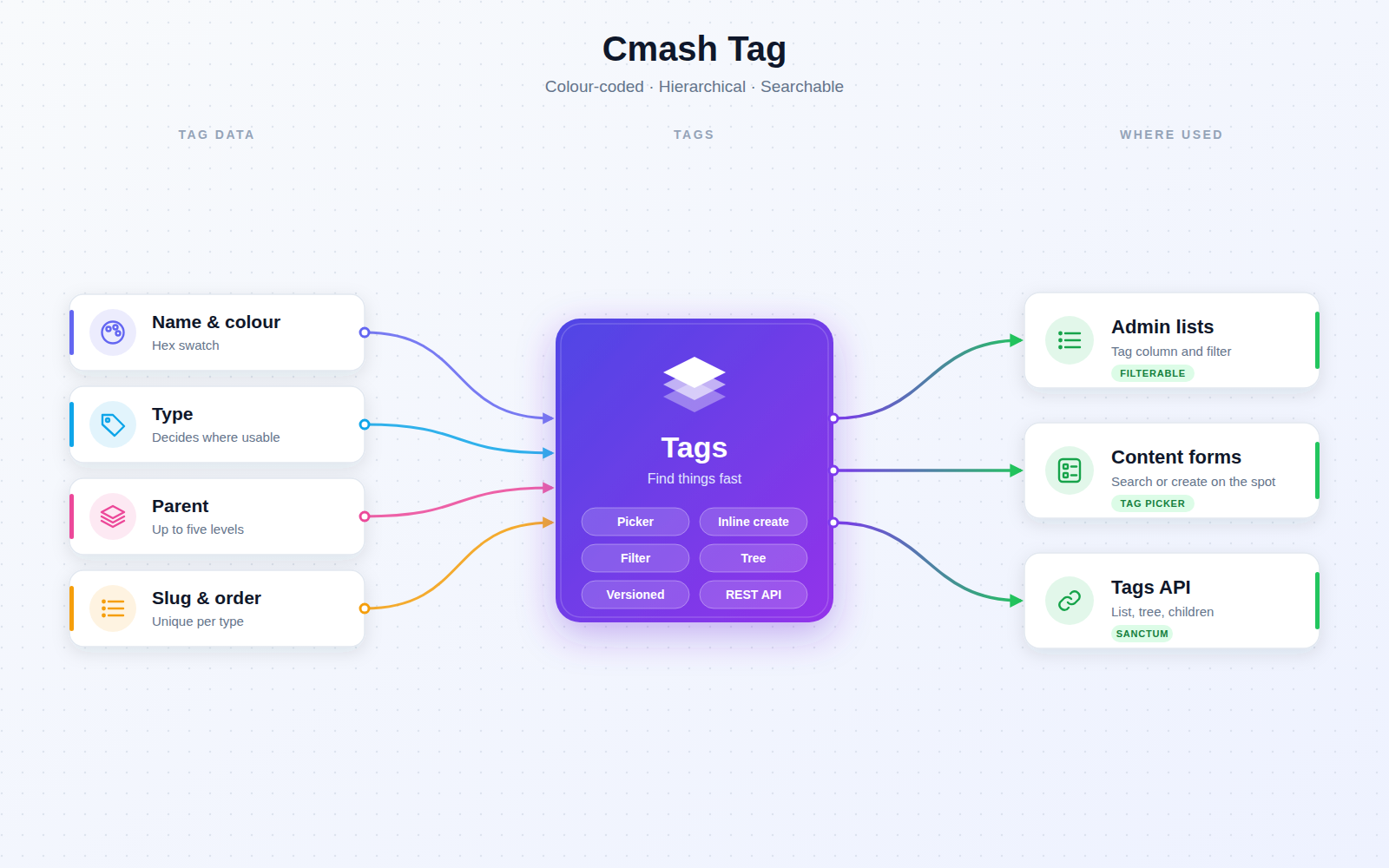
- Colour-coded — each tag has a hex colour, shown as a swatch in lists for quick recognition.
- Nested tags — give a tag a parent to build a hierarchy; child tags show their full path (for example "Parent → Child → Grandchild"). Paths and trees are followed up to five levels deep.
- Types decide where a tag can be used — each tag has a type controlling which content it is offered for:
- General: available everywhere.
- Asset, Document / Project, Template, Form, Project, Renderer: available for that content type only.
- Projects also see Document tags; documents do not see Project-only tags.
- Friendly URL identifier (slug) — filled in automatically from the name; unique within the same type.
- Sort order, description and active switch — retire a tag without deleting it; lists are sorted by your sort order.
- Change history — name, slug, colour, type, parent, sort order, active state, description.
- Creator and origin — the list can show who created a tag and whether it came from the admin panel ("Internal") or the API ("External").
Use Tags in the Admin Panel
- Tag picker — on content forms: search, pick several, or create a new tag on the spot (name, type, colour) without leaving the form; a shortcut opens the tag manager in a new tab.
- Tag column and tag filter — for content lists, so teams can narrow long lists by tag.
- Tag manager (Content → Tags) — filters by type, active state and parent (including "root tags only"), plus a read-only view.
Search by Tag
- Flexible queries — content models that use tagging can be queried for entities with any of a set of tags, all of them, or no tags at all, by tag ID or by tag UUID.
Where It Is Used
- Broad coverage — enabled for assets (library, import jobs and API filtering) and for the other content types listed above where those modules include the tag picker.
- Note — the Brandkit tag type exists but is not currently offered in the tag manager.
Integrations & API
Token-secured (Laravel Sanctum):
| Method | Endpoint | Description |
|---|---|---|
GET |
/api/tags |
List tags. Filters: type, parent_id, active, search, roots; paginated (per_page, default 50). |
POST |
/api/tags |
Create a tag (name, type required; colour must be #RRGGBB). |
GET |
/api/tags/tree |
The tag hierarchy as a tree. |
GET |
/api/tags/{uuid} |
Retrieve one tag. |
PUT |
/api/tags/{uuid} |
Update a tag. |
DELETE |
/api/tags/{uuid} |
Delete a tag. |
GET |
/api/tags/{uuid}/children |
Direct children of a tag. |
Permissions & Dependencies
- Requires the CMAsh core package (
enobis/cmash), Filament 5, Laravel Sanctum and PHP 8.3+. - Used by
enobis/cmash-asset(a hard dependency there). - No package-specific roles or permissions are defined; access follows the platform's standard resource permissions.
Configuration
This package has no config file, no environment variables and no settings page. Behaviour is fixed as described above.
| Item | Value | Meaning |
|---|---|---|
| Config keys | none | – |
| Environment variables | none | – |
| Navigation | Content → Tags | Where the tag manager appears |
| Database tables | cmash_tags, cmash_taggables |
Tags and their assignments |
| Default tag type | General | Preselected when creating a tag |
| Default API page size | 50 | Override with per_page |
Use Cases
- Campaign organisation — nest tags like "Campaigns → Summer → Social" for assets and documents.
- Finding content fast — filter long admin lists by tag.
- Import automation — tag assets automatically via folder import jobs.
- Integrations — read the tag tree or filter assets by tag through the API.
Cmash Tag: one vocabulary for all your content.