Typst Editor Package
Cmash Typst Editor — Feature Overview
A full-screen visual editing workspace for your Typst templates, one click from the template screen.
What Is CMAsh Typst Editor?
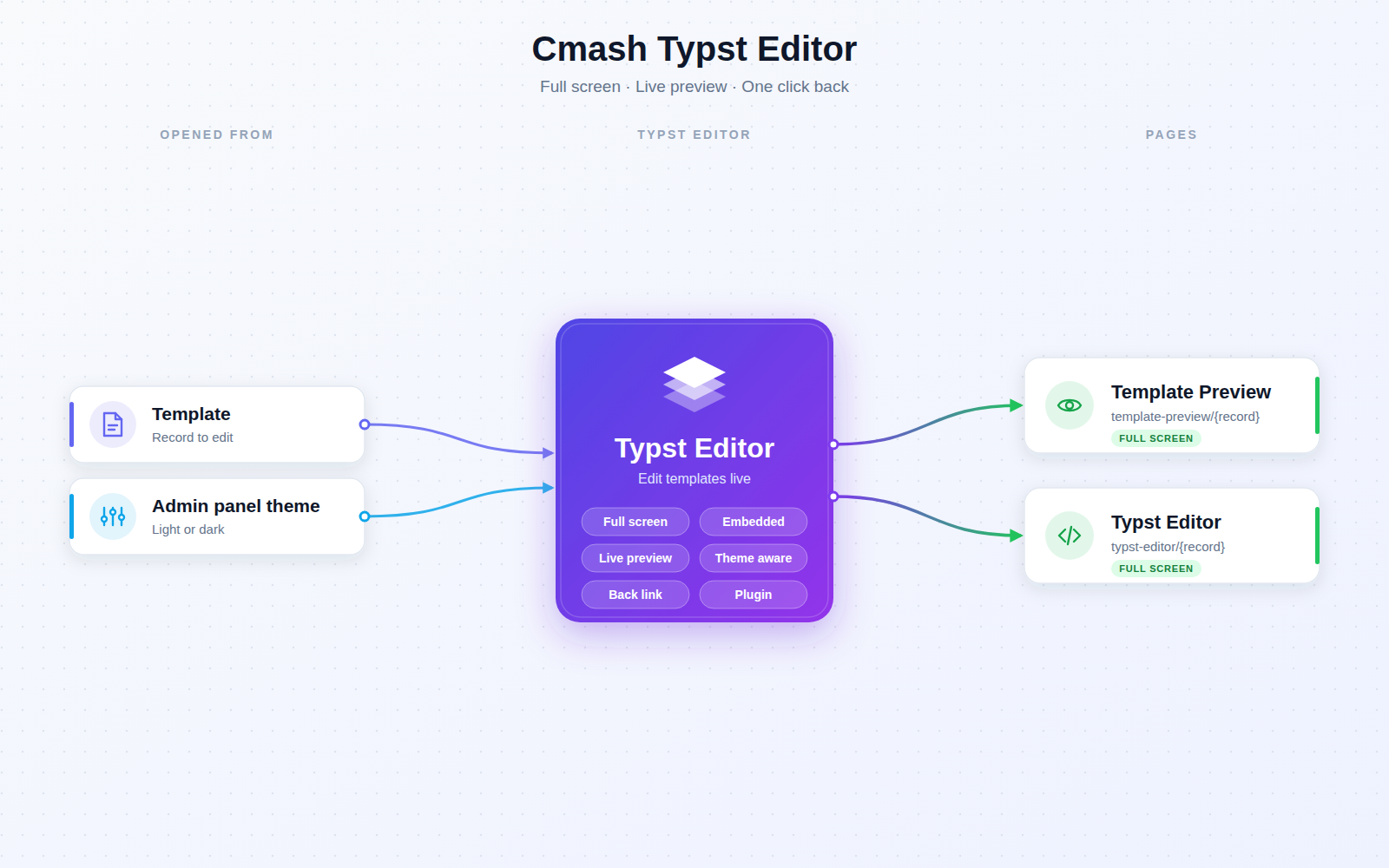
Cmash Typst Editor adds full-screen editor and preview pages for templates. The pages embed the template editor of the cmash-editor package (Typst source editing, form, live preview, page navigation, snippet drag-and-drop, image upload and download all live there) in a distraction-free layout inside the admin panel.
Key Features
Full-Screen Editing
- Template Preview page —
template-preview/{record}opens a template in the editor, full screen. - Typst Editor page —
typst-editor/{record}offers the same embedded editor, also full screen. - Opened from a template — pages are not shown in the navigation.
Seamless Navigation
- Back to template — returns to the template's edit form.
- Theme carried over — the current light/dark mode of the admin panel is passed on to the editor.
Integrations & API
- Embedded editor — uses the
cmash-editor.template-editorroute from cmash-editor. - No REST API endpoints.
Permissions & Dependencies
- Requires PHP ^8.3, Filament ^5 and CMAsh packages cmash, cmash-editor, cmash-template, cmash-typst.
- Register
CmashTypstEditorPluginin the panel. - No roles or permissions are defined; the pages are accessible to any user who can reach the panel.
Configuration
This package has no config file and no environment variables. The editor URL uses the cmash-editor.template-editor route from cmash-editor.
Use Cases
- Focused template design — edit Typst source without admin panel clutter.
- Live preview — check layout and pages while editing.
- Quick switching — jump from a template's edit form into the editor and back.
Cmash Typst Editor: your templates, full screen.