
Workspace Package
Cmash Workspace — Feature Overview
Organise your documents into workspaces, each with its own renderers and editor experience.
What Is Cmash Workspace?
A workspace groups related documents and decides how they are edited and produced: which renderers (output types) are available and how the editor looks and behaves. Set it up once and every document in it inherits a consistent experience.
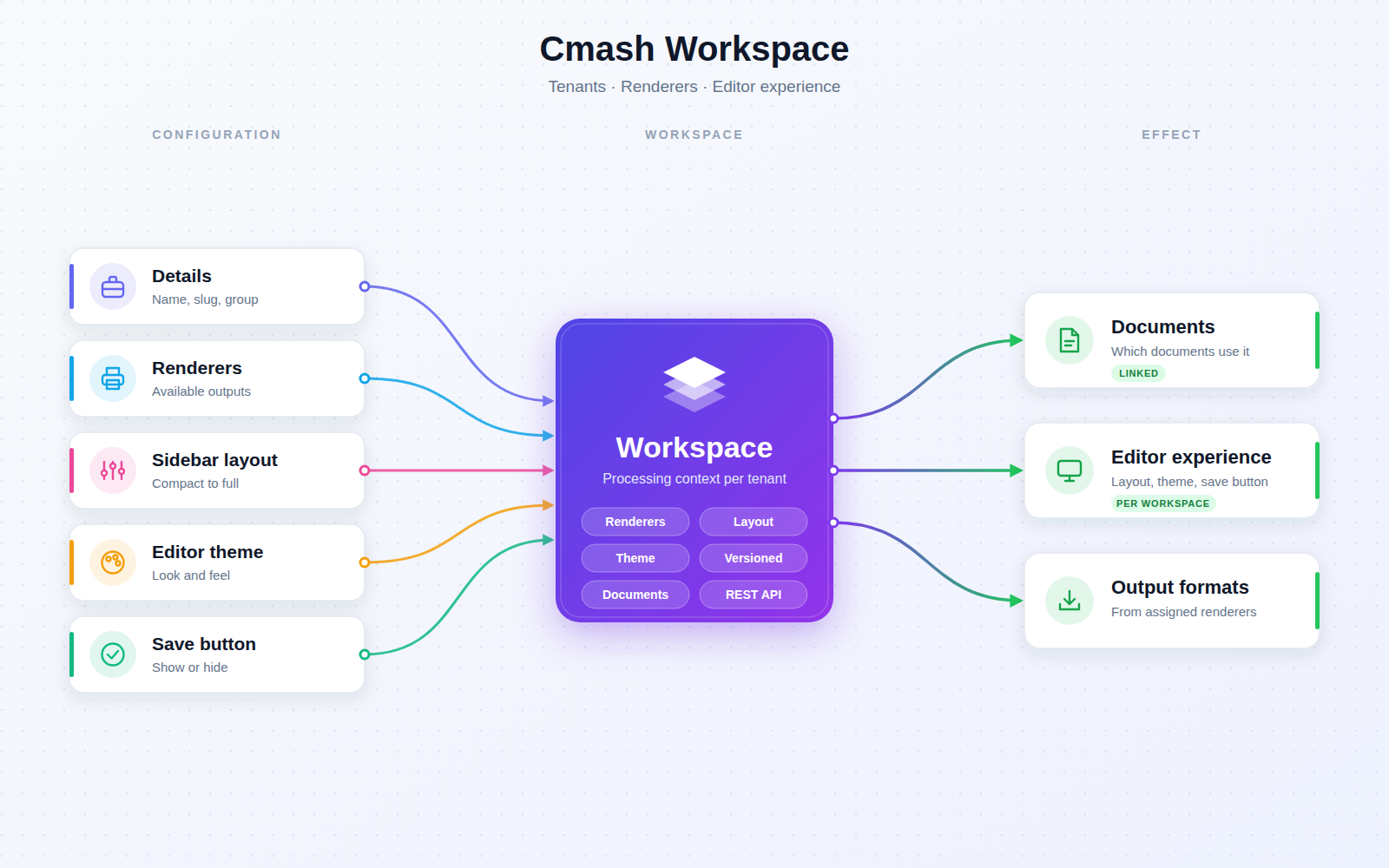
Key Features
Workspace Management
- Details — name and description (translatable), slug, group, active flag, creator and origin information.
- Renderers — assign the renderers available in the workspace (with a shortcut to manage renderers).
- Protection — workspaces whose origin is not editable are protected.
Editor Experience
- Sidebar layout — Compact (300px), Default (380px), Wide (480px), Golden Ratio (38.2%), Half (50/50) or Full (form only).
- Editor theme — choose an editor theme per workspace (or use the default).
- Save button — toggle whether users see a Save button in the editor.
Tracking
- Revision history — track changes to a workspace.
- Linked documents — panel showing which documents use the workspace.
Integrations & API
REST API (Sanctum): /workspaces — list, create, show, update, delete.
Permissions & Dependencies
- Requires PHP ^8.3, Filament ^5, Sanctum and CMAsh packages cmash, cmash-brandkit, cmash-form, cmash-renderer.
- Used by cmash-template.
- Admin resource in the Configuration group; group scoping limits which groups can be selected.
- No package-specific roles or permissions.
Configuration
No config file and no environment variables.
Use Cases
- Per-brand or per-team setups — a workspace for each with its own renderers.
- Tailored editors — wide sidebar for form-heavy templates, form-only view for simple ones.
- Controlled outputs — limit which output types a team can produce.
- Impact checks — see which documents use a workspace before changing it.
CMAsh Workspace: the right editor and outputs for every team.